Log-in Help
|
If you are having trouble logging in, the
easiest way to fix it is to use Firefox or Netscape. If you must
use Internet Explorer, follow these Instructions:
- If IE does not give you a box to input the
password and displays this error message:

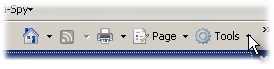
- Click on Tools:
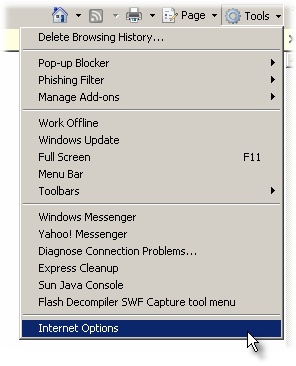
- At the bottom of the drop-down, choose Internet
Options:
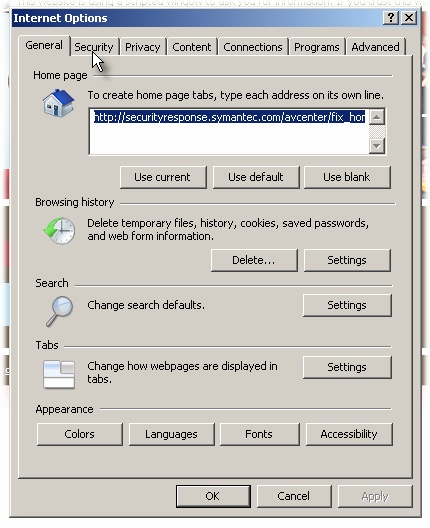
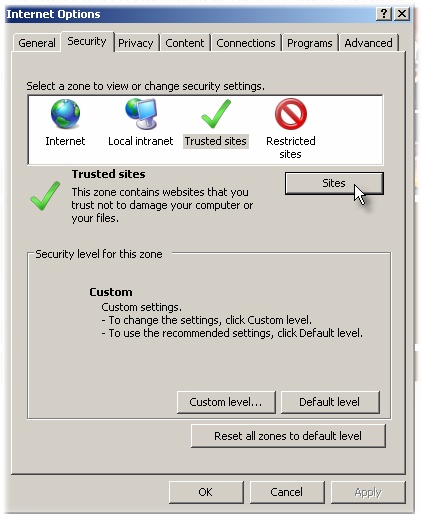
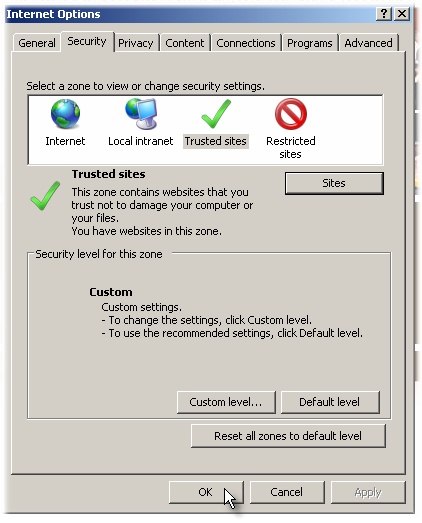
- In the window that opens, choose the Security
tab:
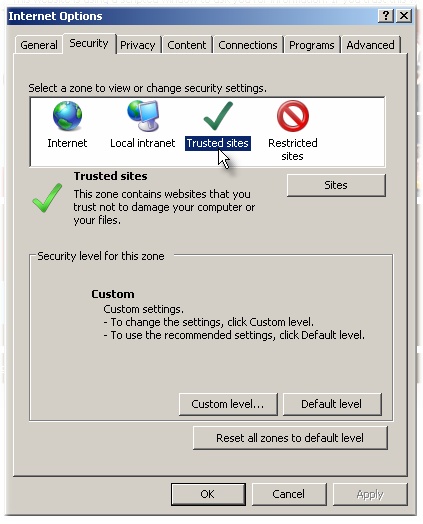
- On the Security Tab, choose Trusted Sites:
- Click on Sites:
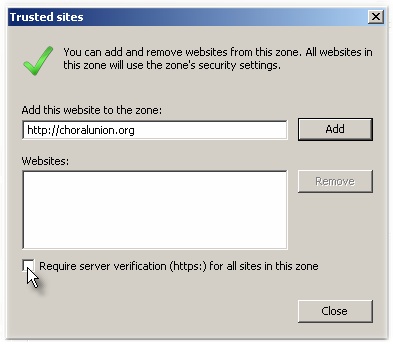
- Uncheck the box that says Require server
verification (https:) for all sites in this zone:
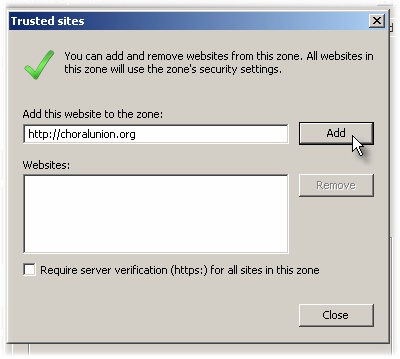
- http://choralunion.org should be
pre-filled. If not, type it in and select Add:
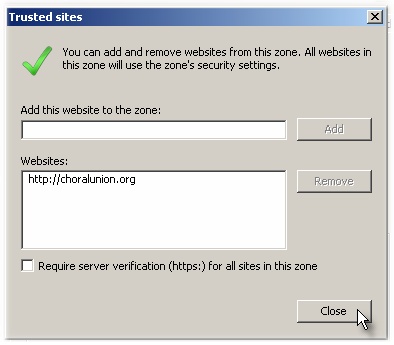
- http://choralunion.org will be added to your
list of trusted websites. Click to Close this window:
- Click OK:
- Now, when you click on the Singers' Site tab,
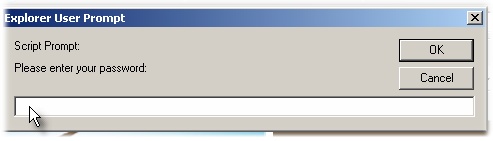
you should get a password box:
- Try to log in again by clicking
here
|
|